 RFID4U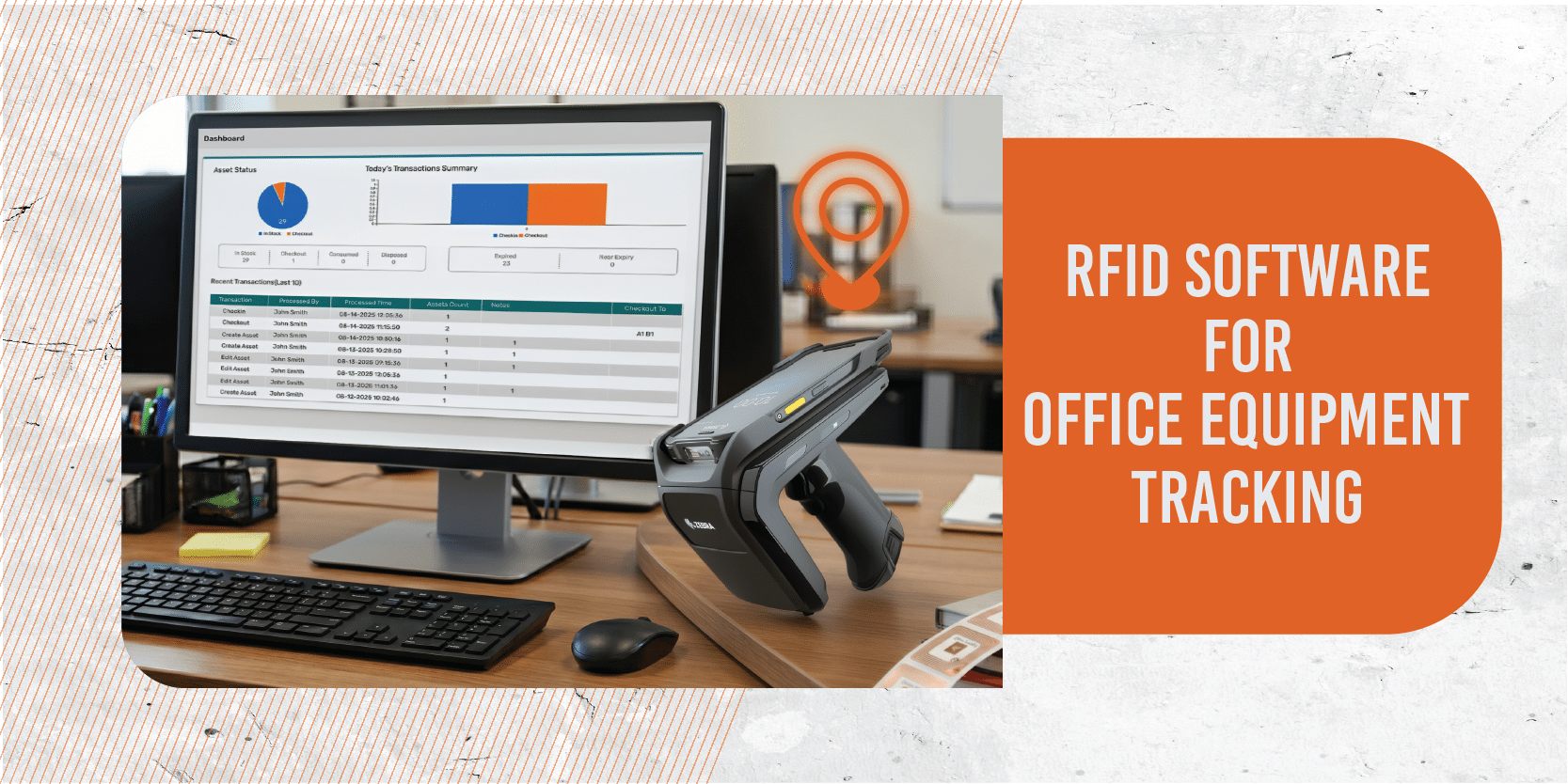
Introduction
Tracking office equipment is often more complex than it seems. Laptops, projectors, and shared devices move between employees and departments, making it difficult to maintain accurate records. Traditional spreadsheets and manual logs are prone to human error, time‑consuming updates, and missing entries.
RFID (Radio Frequency Identification) software offers a scalable, automated solution. By combining RFID tags, readers, and intelligent software, organizations gain real‑time visibility into their assets, reducing loss and improving accountability.
What Is RFID for Office Equipment Tracking?
RFID (Radio Frequency Identification) for office equipment tracking is a technology‑driven approach to managing assets more efficiently. Instead of relying on manual logs or spreadsheets, RFID software automates the process by combining tags, readers, and intelligent software.
- Core Components: Each piece of equipment is fitted with an RFID tag. Readers capture the tag’s data, and the software processes this information to provide a clear view of asset status and location.
- How It Works: When tagged equipment passes near a reader, the tag transmits its data instantly. The software updates records in real time, ensuring accurate tracking without manual input.
- Key Benefits:
- Automation: Reduces repetitive manual work.
- Accuracy: Improves asset records by minimizing human error.
- Real‑Time Visibility: Provides immediate insight into where equipment is and how it’s being used.
Common Office Assets That Benefit from RFID Tracking
Valuable equipment in office environments requires effective tracking and management. RFID technology seamlessly provides real-time visibility into asset locations and usage. Some of the most common office assets that benefit from RFID tracking include:
Laptops, Desktops, and Monitors
These are high‑value items that frequently move between employees, meeting rooms, and departments. RFID ensures they are always accounted for, reducing the risk of loss or theft.
Projectors and Conference Room Equipment
Shared devices like projectors, microphones, and video conferencing tools are often relocated for meetings. RFID tracking helps manage availability and prevents misplacement.
Printers, Scanners, and Shared Devices
Multiple teams use Office peripherals. RFID makes it easier to monitor usage, schedule maintenance, and ensure devices remain in working condition.
Furniture and High‑Value Office Tools
Items such as ergonomic chairs, specialized desks, or high‑end tools may not move as often, but they represent significant investments. RFID helps organizations maintain accurate records and plan audits efficiently.
Key Features to Look for in RFID Tracking Software
When selecting RFID software for office equipment tracking, it’s important to focus on features that simplify asset management and provide long‑term value. The right solution should not only track items but also improve efficiency, accountability, and decision‑making. Key features include:

Real‑Time Asset Visibility
Provides instant updates on the location and status of equipment. This ensures managers always know where assets are and reduces the risk of misplacement.
Automated Check‑In/Check‑Out
Streamlines the process of assigning and returning equipment. Employees can quickly check out laptops or projectors, while the system automatically records the transaction, eliminating manual logs.
Audit and Cycle Count Capabilities
Simplifies routine audits by automatically verifying asset presence. Cycle counts can be completed faster and with greater accuracy, saving time during compliance checks.
Maintenance Scheduling
Helps track service dates and schedule preventive maintenance for devices like printers or scanners. This reduces downtime and extends the lifespan of equipment.
User Roles and Access Control
Allows administrators to define permissions for different users. For example, IT staff may have full access, while employees only see the assets assigned to them.
Reporting and Analytics
Generates detailed reports on asset usage, movement, and lifecycle. Analytics provide insights into utilization trends, helping organizations make informed purchasing and budgeting decisions.
Mobile App Support
Enables staff to manage assets on the go using smartphones or tablets. Mobile access is especially useful for audits, quick scans, and field operations.
How RFID Improves Office Equipment Management
- Eliminates manual errors in asset records
- Reduces asset loss and misplacement
- Enhances accountability among employees
- Speeds up audits and cycle counts
- Supports compliance and documentation requirements
Deployment Options: Cloud vs. On‑Premise
When implementing RFID software for office equipment tracking, organizations typically choose between cloud‑based or on‑premise deployment. Each option has distinct advantages, and the right choice depends on your business needs, IT infrastructure, and security requirements.
Cloud Deployment
Cloud solutions are hosted online, making them quick to set up and accessible from anywhere with an internet connection. They usually come with lower upfront costs since there’s no need for heavy hardware investment. Automatic updates ensure the system stays current without requiring IT intervention. This option is ideal for businesses that value flexibility, scalability, and remote access.
On‑Premise Deployment
On-premise solutions are installed and managed within your organization’s own servers. They provide greater control over data and system configurations, which is especially important for companies handling sensitive information. On-premise deployments also allow for deeper customization and integration with existing internal systems. While the initial investment may be higher, this option suits organizations that prioritize security, compliance, and tailored workflows.
TagMatiks AT
TagMatiks AT is a cloud‑based RFID asset tracking solution that leverages RFID and barcode technologies to eliminate manual errors and improve asset visibility. It is built for enterprises that need to manage thousands of assets across multiple locations, offering both scalability and flexibility
Key Features
Advanced Asset Lifecycle Management
- Tracks assets from receiving through usage, maintenance, and eventual disposal. The system logs repair history and provides an “Asset Trail” for complete visibility.
RFID‑Enabled Audits & Cycle Counts
- Automates audits using handheld RFID readers, enabling quick reconciliation of asset records. Variances are flagged instantly, helping organizations maintain compliance.
Multi‑Location Support
- Designed for distributed offices and enterprises, TagMatiks AT provides centralized visibility across multiple sites.
Detailed Reporting & Analytics
- Offers dashboards, scheduled reports, and customizable analytics to support better decision‑making.
Scalable RFID Device Support
- Compatible with a wide range of RFID handhelds, fixed readers, portals, and printers, ensuring flexibility in deployment.
Optimized Workflows
- Automates common asset processes such as check‑in/check‑out, transfers, and write‑offs, reducing operational time.
Integration Capabilities
- Includes extensive APIs and connectors for ERP and IT systems, enabling real‑time data exchange and centralized management.
Ideal Use Cases
- Medium to large enterprises managing thousands of assets across multiple departments or locations.
- Industries such as healthcare, manufacturing, oil & gas, education, and government, where asset visibility and compliance are critical.
- Organizations requiring strict data control, with options for both cloud and on‑premise deployments.
TagMatiks AT Lite
TagMatiks AT Lite is a lightweight, mobile‑friendly RFID asset tracking application designed for organizations that want a simple yet effective way to manage their office equipment. It is particularly well‑suited for smaller teams, startups, or businesses running pilot projects where ease of use and quick deployment are priorities.

Key Features
Quick Asset Onboarding
- Easily add new assets into the system using RFID or barcode scanning. This reduces the time required to set up and ensures assets are tracked from day one.
Mobile RFID & Barcode Scanning
- The solution is optimized for mobile devices, allowing staff to perform scans directly from smartphones or tablets. This makes it convenient for audits, check‑ins, and day‑to‑day tracking without needing complex infrastructure.
Simple Audits & Cycle Counts
- Conducting audits becomes straightforward with TagMatiks AT Lite. Users can quickly verify asset presence and reconcile records, helping maintain accuracy without lengthy manual processes.
Easy Deployment
- Unlike enterprise‑grade systems, AT Lite requires minimal setup. It can be deployed quickly without heavy IT involvement, making it cost‑effective and accessible for smaller organizations.
Ideal Use Cases
- Small offices & startups looking for a practical entry point into RFID tracking.
- Pilot projects where businesses want to test RFID technology before scaling to a larger solution.
- Teams with limited IT resources that need a simple, mobile‑based system without complex integrations.
Implementation Steps for RFID Office Equipment Tracking
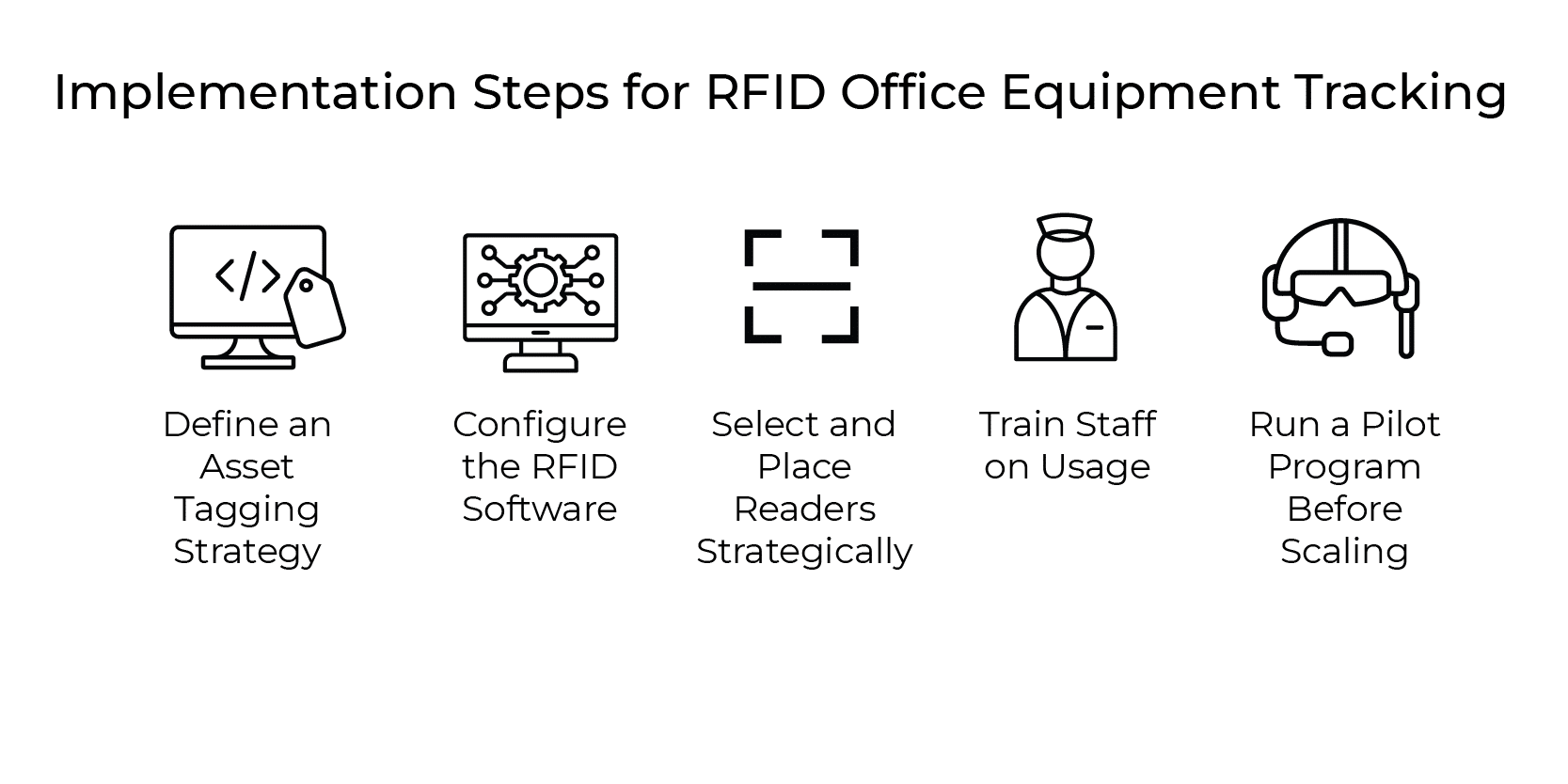
Define an Asset Tagging Strategy
Establish a clear plan for tagging office equipment, ensuring consistency, accuracy, and easy identification across all assets.
Configure the RFID Software
Set up the software to match organizational needs, including asset categories, workflows, reporting preferences, and integration requirements.
Select and Place Readers Strategically
Position RFID readers in high‑traffic areas and entry points to capture accurate data and maximize tracking efficiency.
Train Staff on Usage
Provide employees with simple training sessions to ensure they understand scanning, audits, and daily RFID tracking processes effectively.
Run a Pilot Program Before Scaling
Test the system with a smaller group of assets, identify improvements, and then expand deployment across the entire organization.
ROI and Business Impact
Implementing RFID software for office equipment tracking delivers measurable returns. Organizations experience reduced asset loss and theft, saving significant costs. Audits become faster and more efficient, freeing valuable employee time. Improved asset utilization across departments ensures resources are maximized, while automation lowers operational expenses, creating long‑term financial and productivity benefits.
Real‑World Use Cases
IT Departments: IT teams use RFID to monitor laptops, desktops, and accessories, ensuring accountability, reducing loss, and simplifying equipment audits.
Shared Workspaces: RFID helps coworking spaces track shared projectors, printers, and tools, improving availability, reducing misplacement, and enhancing user accountability.
Corporate Offices: RFID ensures conference room assets like projectors, microphones, and video systems are always available, properly maintained, and efficiently utilized.
Government/Education: Public institutions use RFID to track expensive equipment, maintain compliance, reduce theft, and ensure resources are used responsibly across departments.
Challenges and Considerations
While RFID offers significant benefits, Shopify merchants must consider:
Cost
Implementing RFID can be costly for small Shopify businesses, as it requires investment in tags, readers, and integration systems. Merchants must carefully evaluate budgets to ensure the technology delivers measurable benefits without straining financial resources.
Integration
Connecting RFID systems with Shopify apps and third-party tools often demands technical expertise. Merchants may face challenges in ensuring seamless compatibility, requiring additional support or customization to achieve smooth workflows and maximize the value of RFID adoption.
ROI
Shopify merchants must balance the upfront investment in RFID with long-term scalability. Evaluating return on investment is crucial, ensuring that efficiency gains, reduced losses, and improved customer experiences justify the costs and support sustainable business growth.
Conclusion
RFID software transforms office equipment tracking from a manual burden into a streamlined, automated process. Whether you’re a large enterprise needing advanced lifecycle management with TagMatiks AT or a smaller office seeking simplicity with TagMatiks AT Lite, RFID ensures assets are visible, secure, and efficiently managed.